 BIGRIYO




Rapid Discharge & Unexpected Shutdowns
One of the earliest signs of lithium-ion degradation is a rapid charge drop. If your phone goes from 80% to 20% within a couple of hours of light usage, the battery chemical capacity has dropped significantly.
Furthermore, sudden shutdowns at 20% or 30% battery level happen because the degradation prevents the battery from delivering stable voltage during peak processor loads.
When you open power-intensive applications like camera software or 3D games, the processor requests a sudden surge of current. An aging battery cannot sustain this peak voltage output, forcing the power management integrated circuit (PMIC) to trigger a safety shutdown to protect internal electronics.
Overheating While Charging & Daily Tasks
It is normal for phones to warm up slightly during heavy gaming or rapid charging. However, if your phone becomes excessively hot during regular charging or basic social media browsing, internal electrical resistance inside the battery has reached unsafe levels.
Continued heat exposure degrades internal components faster and risks permanent damage to the motherboard.
High thermal resistance within chemical cells dissipates excess power as thermal energy instead of storing it as potential electrical charge. This thermal loop degrades adjacent motherboard chips and causes screen discoloration.
Physical Swelling & Display Separation
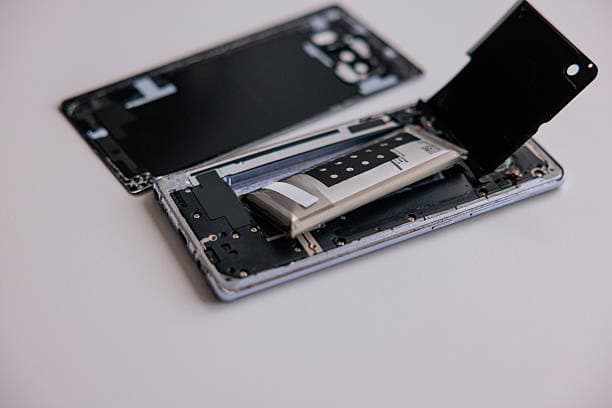
A swollen battery is a severe safety hazard caused by gas buildup inside failing cell compartments. If you notice your screen popping out, gap formation near the frame, or a slight wobble when placed flat on a table, switch off the phone immediately.
Do not try to force the screen back into place. Bring it to BIGRIYO for safe, professional battery removal and replacement.
Gases like hydrogen and oxygen accumulate inside airtight pouch cells when internal electrolyte breakdown occurs. Attempting to press down a swollen screen can puncture the pouch, leading to chemical fires.
Drastic Drop in Health Metrics & Slow Performance
Modern operating systems like iOS and Android monitor battery health percentages and cycle counts. When your maximum capacity drops below 80%, modern operating systems begin throttling CPU clock speeds to prevent unexpected system resets.
If your smartphone app launches take twice as long or device animations stutter frequently, an aging battery is often the underlying root cause.
How to Extend Your New Battery's Lifespan
Once you replace your degraded unit at BIGRIYO, avoid overnight charging under unventilated pillows and try to keep your charge cycle between 20% and 80%. Using original or certified power adapters also ensures stable current input without damaging cell chemistry.